
Emails, and social media protection from hackers, should be one of the most important question everyone must ask, in an era of dubious activities from cyber violators.
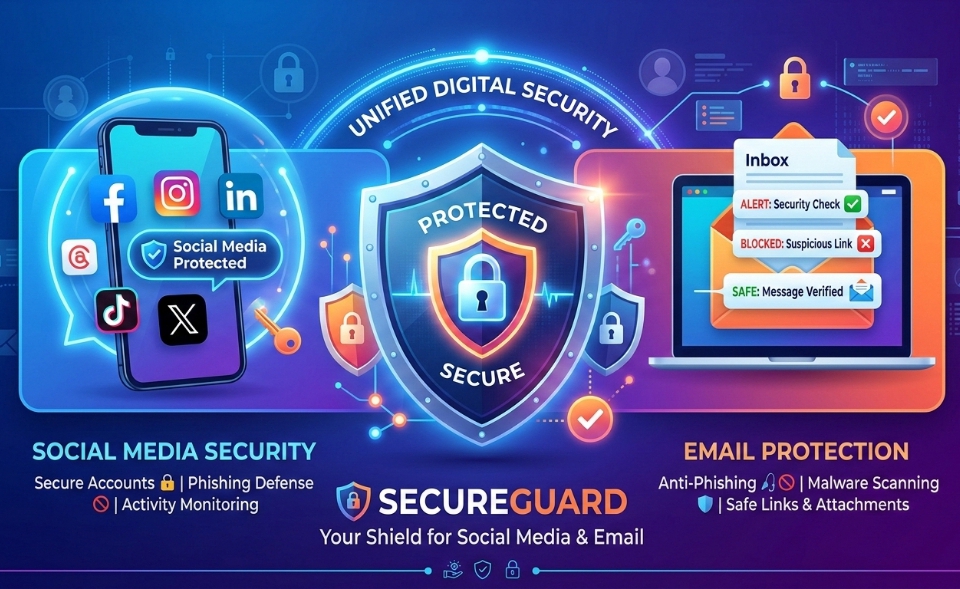
In an era where our lives are increasingly lived online, the digital “front door” to our personal information is more exposed than ever. Your social media accounts, emails, and phone numbers are the keys to your identity, finances, and private memories. As hackers develop more sophisticated tools in 2026, including AI-driven phishing and advanced SIM swapping, the old advice of just “changing your password” is no longer enough.
Every message, post, and private chat you send is a locked door—until a hacker finds the key. “In this guide, I’ll show you the exact locks, routines, and digital habits that keep your email and social media accounts under your control, not someone else’s.”
1. How To Secure Your Email
Your email is the most critical account you own. This is because it controls both your banking details and other sensitive information about you. If a hacker gains access to your inbox, they can use the “Forgot Password” feature on almost every other site you use—from Facebook to your bank—to take over your entire digital existence.
Use a Difficult Password You Can Remember
The days of using “Password123” or your pet’s name are over. Hackers use “brute force” software that can test millions of combinations in seconds.
- Use Passphrases: Instead of a word, use a long string of random words, like Purple-Skating-Cloud-2026!. Length is more important than complexity.
- Never Reuse Passwords: If one site (like a random shopping forum) gets hacked and you use that same password for your email, your email is now compromised.
Enable Multi-Factor Authentication (MFA)
MFA is your strongest defense. It requires two things to log in: something you know (your password) and something you have (your phone or a security key).
- Avoid SMS Codes: Hackers can sometimes intercept text messages. Instead, use an Authenticator App (like Google Authenticator, Microsoft Authenticator, or Authy). These apps generate a code that exists only on your physical device.
- Hardware Keys: For maximum security, consider a physical USB security key (like a YubiKey). This requires you to physically plug a device into your computer or tap it against your phone to log in.
Audit Your Settings Regularly
Check your email settings for “Forwarding.” Hackers often set up a rule that automatically forwards a copy of every email you receive to their own address, allowing them to spy on you even after you change your password.
Beware of links
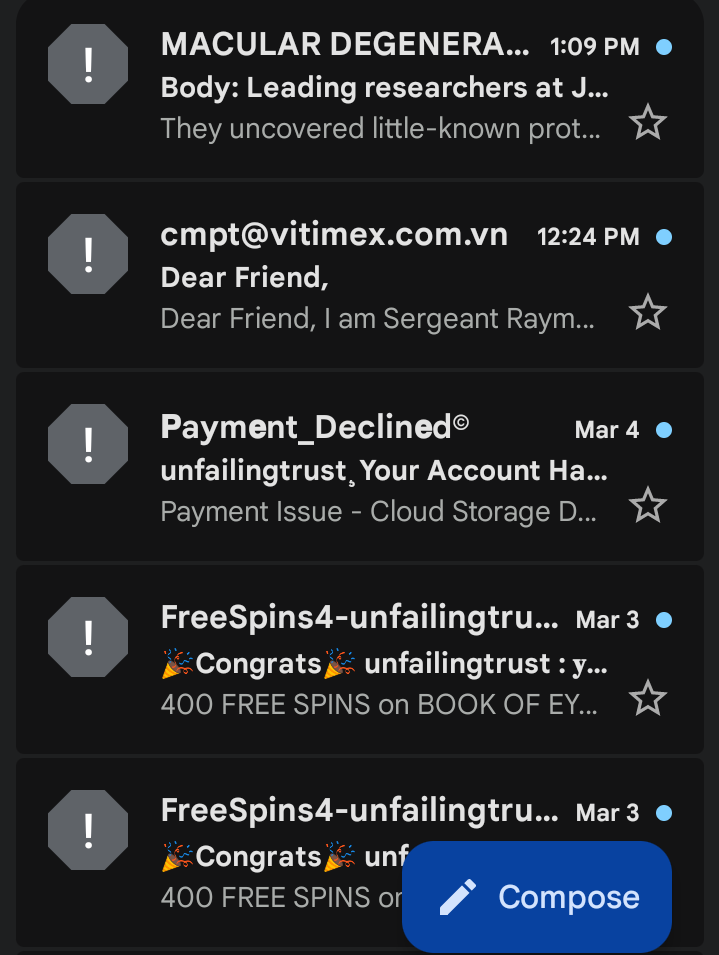
Lately, some Yahoo boys have learnt to buy softwares which randomly sends links to your emails. Once you click these links, a virus is transfered into your email, and could be used to hack it. Sometimes, these links comes in form of registrations, which your password would be requested of you. You usually could find these links in your spam message section of your email.
Some of the common links sent, are from cloned bank apps, romantic messages, bonuses and even fake bet deposits. See image below for illustration;
How To Protecting Your Social Media From Hackers
Social media accounts are prime targets for identity theft and “social engineering,” where hackers impersonate you to scam your friends and family.
Control Your Visibility
The less a hacker knows about you, the harder it is for them to trick you or bypass security questions.
- Go Private: Set your profiles to “Private” or “Friends Only.”
- Hide Personal Details: Do not list your phone number, home address, or full birthdate publicly. Hackers use these details to convince your mobile carrier that they are you.
- The “Check-In” Risk: Avoid posting your exact location in real-time. This tells people when you are away from home and provides data points for targeted scams.
Mind the applications in your phone
Have you ever used your Facebook or Google account to “Sign In” to a quiz, a game, or a photo-editing app?
- Revoke Access: Go to your account settings and look for “Apps and Websites.” Delete any apps you no longer use. Many of these apps have permission to read your data or post on your behalf.
- The “Browser vs. App” Trick: When possible, log into social media via a secure web browser rather than the app. Browsers often have stricter privacy controls and don’t request access to your contacts or microphone as aggressively as apps do.
Beware of Phishing 2.0
Modern phishing doesn’t always look like a “Nigerian Prince” email. It might look like a DM from a friend saying, “I can’t believe you’re in this video!” with a link.
- Verify the Source: If a friend sends a suspicious link, message them on a different platform to ask if they sent it.
- Inspect the URL: Hackers create fake login pages that look identical to Instagram or X. Always check the address bar. If it says lgn-instagram.com instead of instagram.com, it’s a trap.
3. The Digital Anchor: Protecting Your Phone Number
In 2026, your phone number is more than a way to call people; it is a primary identification tool. “SIM Swapping” is a dangerous technique where a hacker convinces your mobile provider to switch your phone number to a SIM card they control.
Set Up a Carrier PIN
Most people have a password for their online account, but they forget to set a Port-Out PIN or Transfer PIN.
- Call Your Provider: Ask your mobile carrier to add a “SIM Lock” or a “Security PIN” to your account. This means no one can move your number to a new device without providing a specific 6-digit code that is different from your account password.
Move Away from SMS for Security
Because phone numbers can be stolen, they are the “weakest link” in security.
- Update Your 2FA: Check all your sensitive accounts (Banking, Email, Social Media) and see if they allow you to use an Authenticator App instead of a text message code. If they do, switch immediately.
Secure the Physical Device
If your phone is stolen, a hacker has a “trusted device” in their hands.
- Use Strong Biometrics: Ensure you have Face ID, Touch ID, or a long PIN (not 1234) enabled.
- Find My Device: Ensure “Find My iPhone” or “Find My Device” (Android) is active. This allows you to remotely wipe all data from your phone if it disappears.
4. Fundamental Guide
Beyond specific accounts, there are general habits that will keep you safe across the board.
Use a Password Manager
Human beings are bad at remembering 50 unique, 16-character passwords. Use a reputable password manager like Bitwarden, 1Password, or Dashlane.
- These tools create and store “un-hackable” passwords for you.
- You only have to remember one “Master Password.”
Keep Software Updated
That “Update Available” notification on your phone or computer isn’t just for new emojis. Updates often contain “patches” for security holes that hackers are currently using to break into devices. Set your devices to Auto-Update.
Public Wi-Fi is a No-Go
Never log into your bank or email while using free Wi-Fi at a coffee shop or airport without a VPN (Virtual Private Network). Hackers can set up “dummy” Wi-Fi networks to intercept everything you type.
The “Too Good to Be True” Test
AI can now generate incredibly convincing voices and images. If you get a call from a “relative” in trouble asking for money, or a text saying you won a lottery you didn’t enter, stop and breathe. * Never click links in a rush. Hackers rely on creating a sense of urgency to make you bypass your common sense.
Table Summary
| Goal | Action Step |
|---|---|
| Enable MFA using an Authenticator App (not SMS). | |
| Passwords | Install a Password Manager and use unique passphrases. |
| Social Media | Set profiles to private and audit third-party app permissions. |
| Phone | Add a “Transfer PIN” with your mobile carrier to prevent SIM swapping. |
| Devices | Enable automatic software updates and remote-wipe features. |



 Doctor Brandy Harmon


I really appreciate the focus on advanced security threats like AI-driven phishing and SIM swapping. It’s a reminder that basic security measures are no longer enough. I think multi-factor authentication is essential for everyone, especially when it comes to sensitive accounts like email and social media.
You made a really important point about email being the gateway to almost every other account. A lot of people focus only on strong passwords but forget about habits like enabling two-factor authentication and being cautious with unexpected login alerts or recovery emails. With AI-driven phishing becoming more convincing, developing those daily security habits is probably just as important as the technical protections.
I’ll always try to make articles as explicit as possible.